Building Loan Management system to manage customer loans
Overview:
Aumnee is a technology company solving fintech problems through innovative SaaS solutions, empowering banks to manage the complete loan lifecycle.
As an expansion of Aumnee products suite, we were tasked with Building a Loan Origination System (LOS) to streamline the end-to-end gold loan journey. I lead this 0-1 project as sole product designer - owning collaboration with PMs, visual design, to delivery.
PROBLEM
In many banks and NBFCs, customer gold loan applications are still managed through a mix of spreadsheets, emails, and manual paperwork.

Even when digital platforms exist, they’re often generic flows or outdated systems not tailored for gold loans.
This leads to:
Fragmented loan journeys across tools
Manual gold assessment and valuation logging
Delays in approval due to offline processes
No clear visibility into application status
Solution
We built a Gold Loan Origination System (LOS) to solve these problems — a dedicated platform that digitises and streamlines the entire loan journey, from creation to disbursement, with role-based access, rule-driven approvals, branch-level support and real-time visibility.
Impact
₹5000+ Cr/yr
of loans Processed using this feature
7
bank partners onboarded
My role:
As the product designer, I was responsible for end-to-end delivery from complexly defined workflows into a smooth, digital journey — ensuring speed, clarity, and accuracy
Team
Me, 1 PM
Duration
2 Months
FEATURE #1
How do we assist users in filling 250 inputs of customer data efficiently?
The first step in loan cycle is to collect 250 fields of customer data along with document collection and verification.
So the challenge was, "How to make this activity easier, less overwhelming and faster for the user?"
Why faster? Because speed matters here. Typically the TAT for the gold loan is 40-50mins. So the platform should be easy and quick for the user.
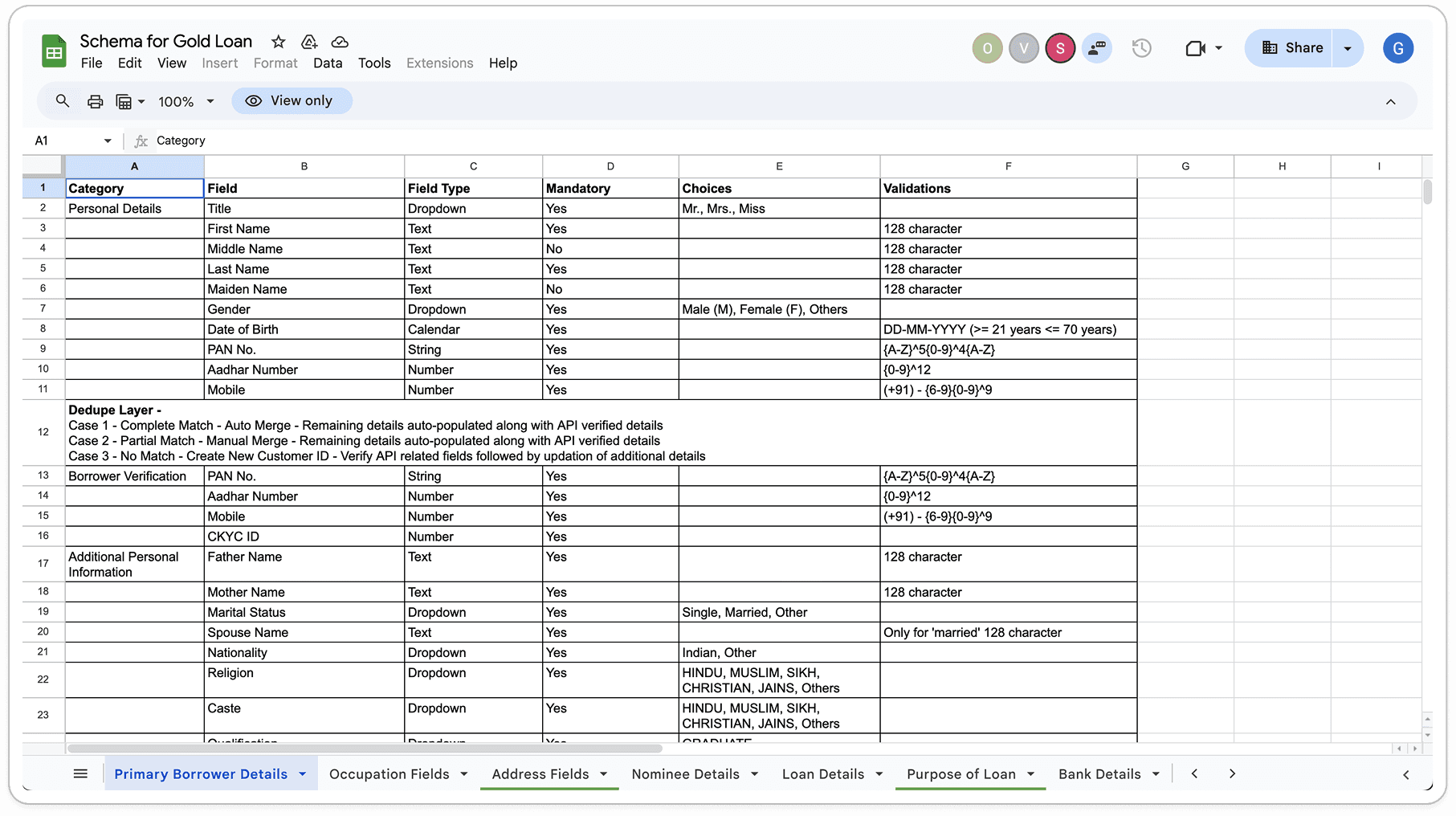
Read through data grouping shared by PM
Objectives
Simplifying the data entry process for complex forms.
Provide clear sections to prevent users from feeling overwhelmed.
Initial approach - Using steppers to simplify
Entering 250 fields manually can feel overwhelming for anyone.
A common way to make this easier is to break the process into smaller steps using Steppers. However, in this case, it didn't work well, because we came to know that users don't fill the data in linear steps. It's because they often don’t know in advance which customer data they’ll have with them when customer visit the bank.
So, it’s important to give them the flexibility to fill out the fields in any order that suits them.
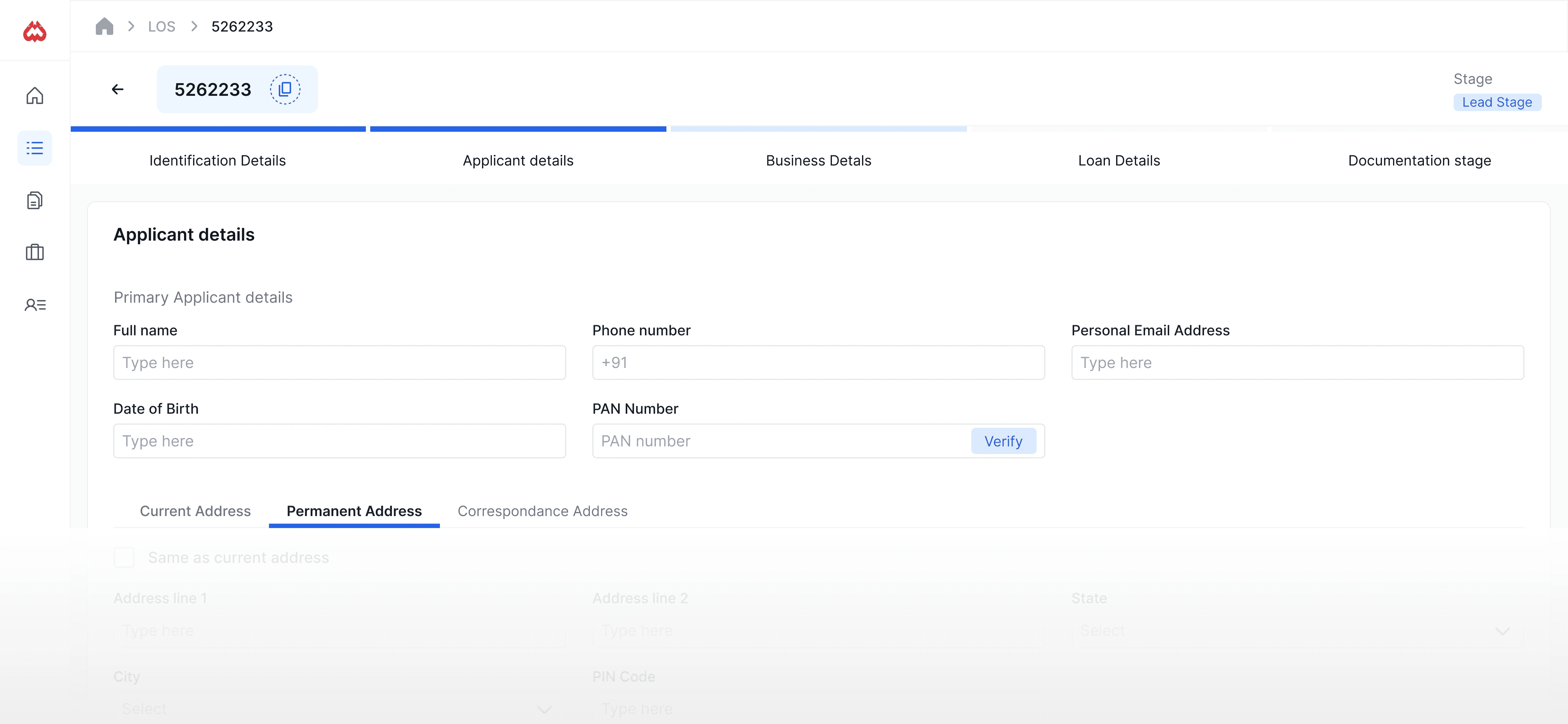
Final Outcome
The form is broken down into well-defined collapsible sections. Each of customer data is grouped logically, and stacked one by one for user to fill faster.
One left side, I created checkbox with category to make easier for user to track his progress
Quick scroll is enabled to move top to bottom of the page quicker since it's a long page.
FEATURE #2
Helping bank staffs to manage and track the loan applications
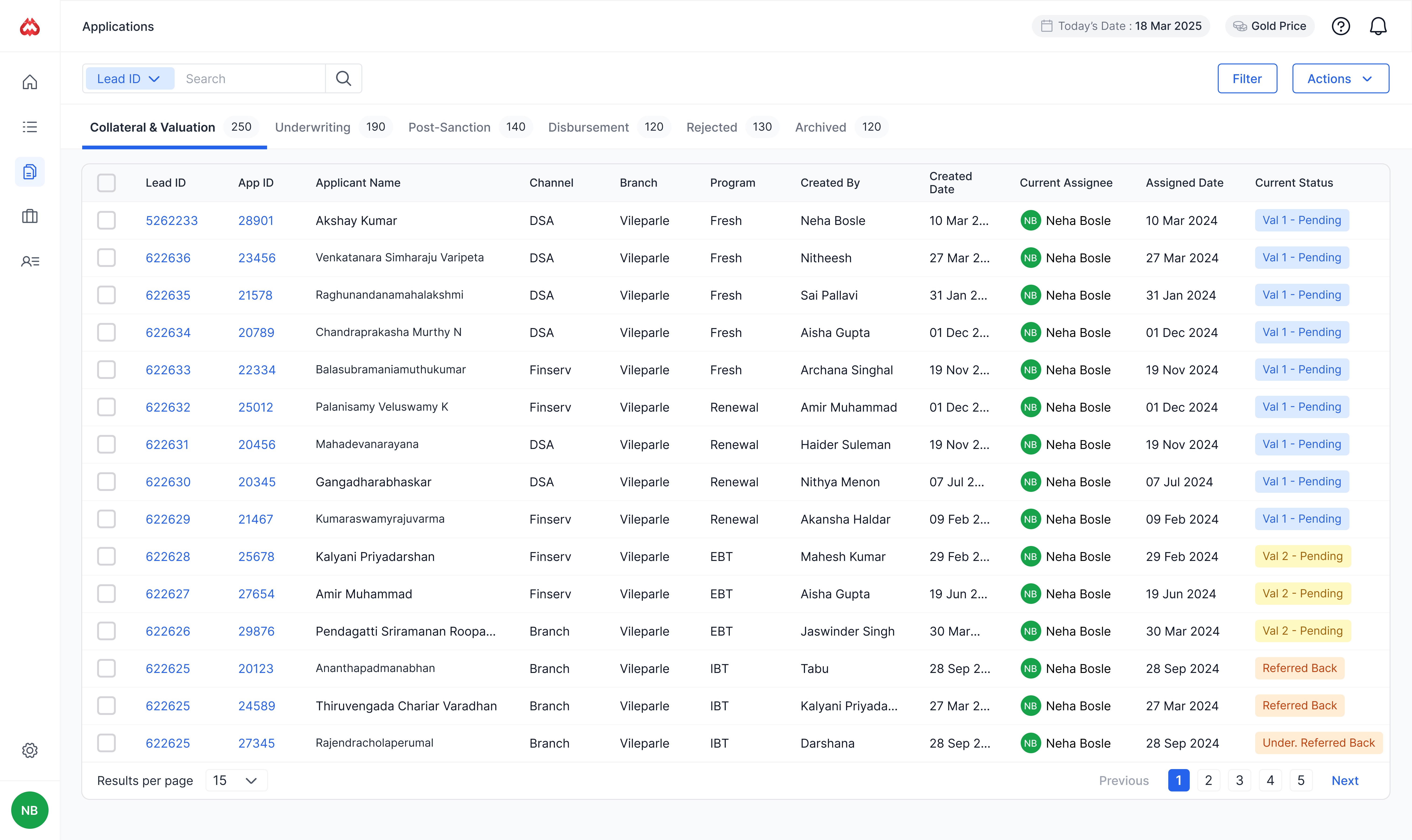
This dashboard was designed for banking staff to monitor, track, and manage loan applications at different stages of the loan lifecycle — from collecting loan details to disbursement.
The goal was to provide clear, actionable, and scalable view because of large volume of applications, ensuring timely follow-up and transparency.
The status tags are color coded to help users quickly understand what stage something is in or if it needs attention.
I also added filtering, sorting, and search to help users narrow things down fast.
FEATURE #3
Helping find duplicate customers
As part of loan processing, to ensure that the applicant does not have multiple or fraudulent identities, and to get a clearer picture of their creditworthiness. The system checks incoming customer data against internal records. Uses match algorithms to flag duplicates.
Iterations

Final designs

FEATURE #4
Home page
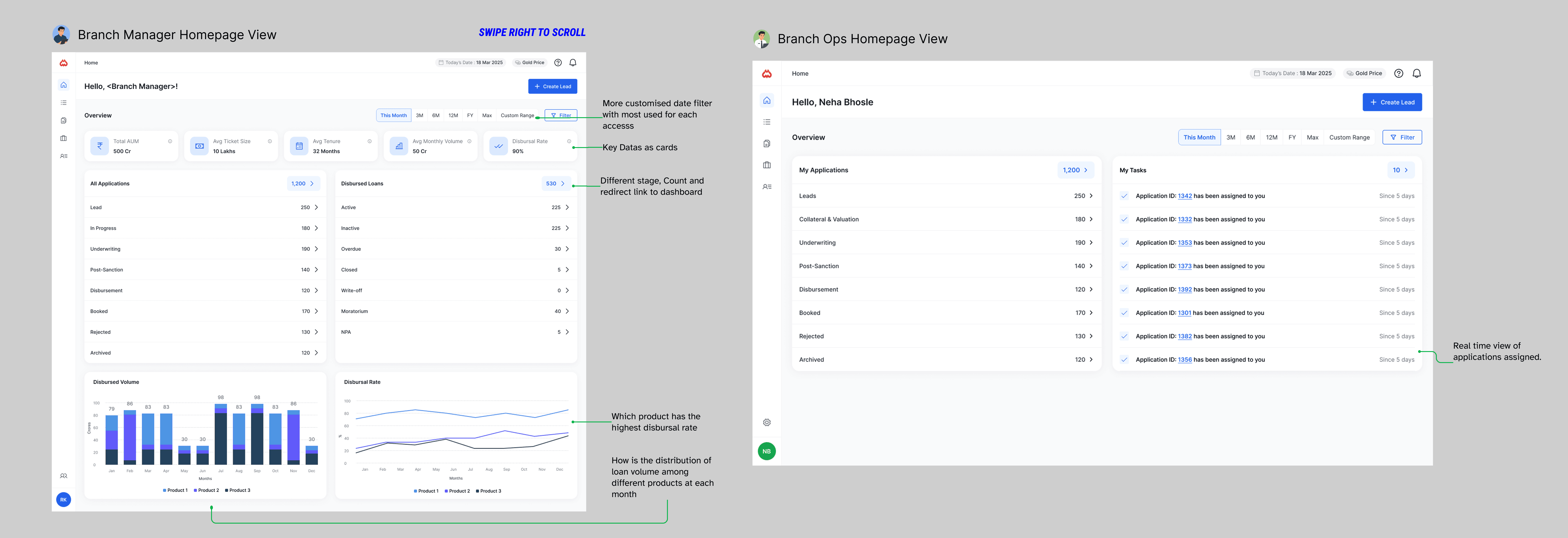
For the dashboard, I wanted to use it to surface key information tailored to each user based on their role, and evaluate whether it could be helpful and informative.
Since there were primarily two distinct personas involved, we needed to design two different home screens depending on the user’s role.

Branch Manager
Needs to view rich analytics related to overall products, loan performance, AUM, disbursal rates, and more.

Branch OPS
Information related for day-to-day operations. They need to see dashboard metrics such as task counts and a recent history of assigned tasks.
FEATURE #5
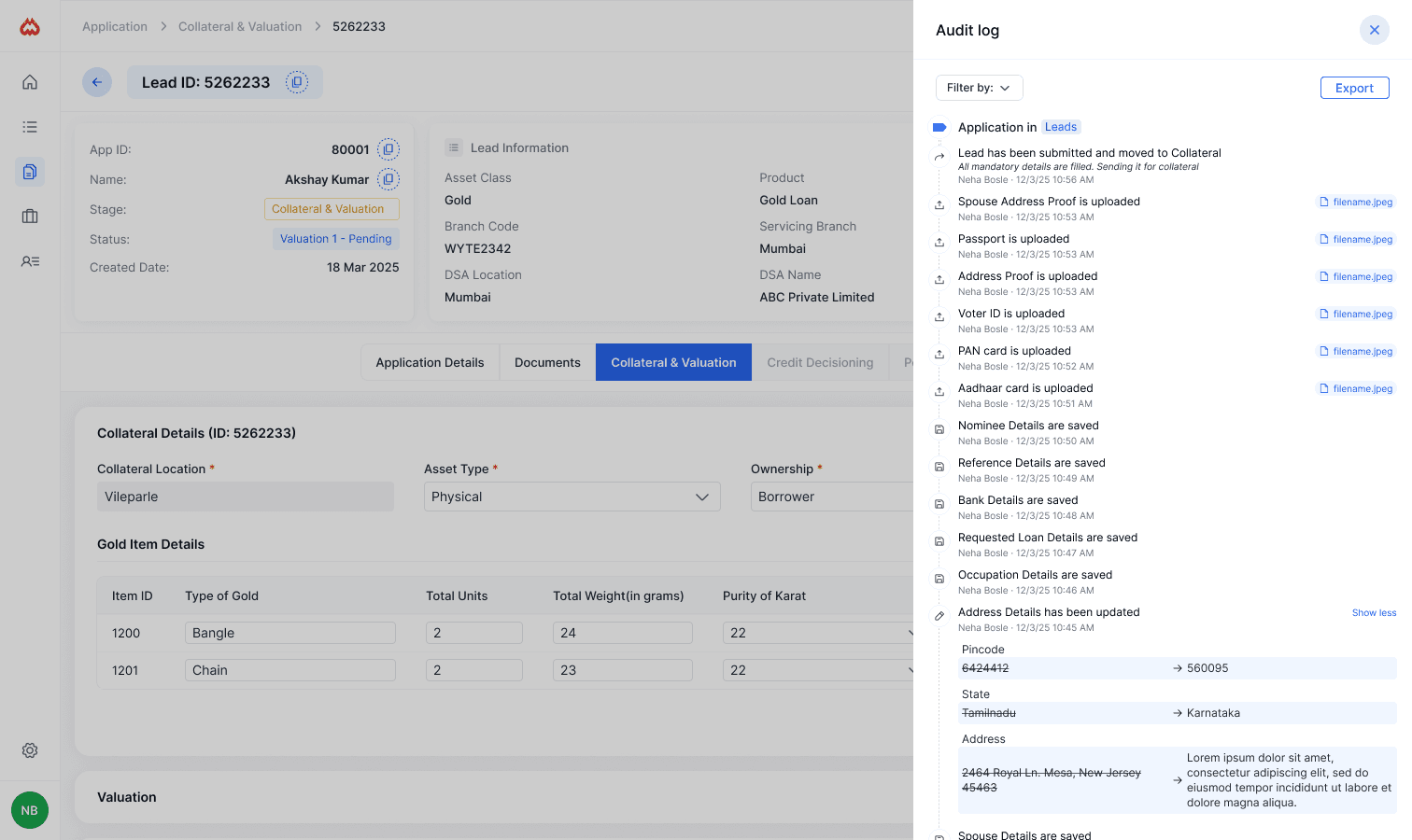
Designing a Clear Audit Log
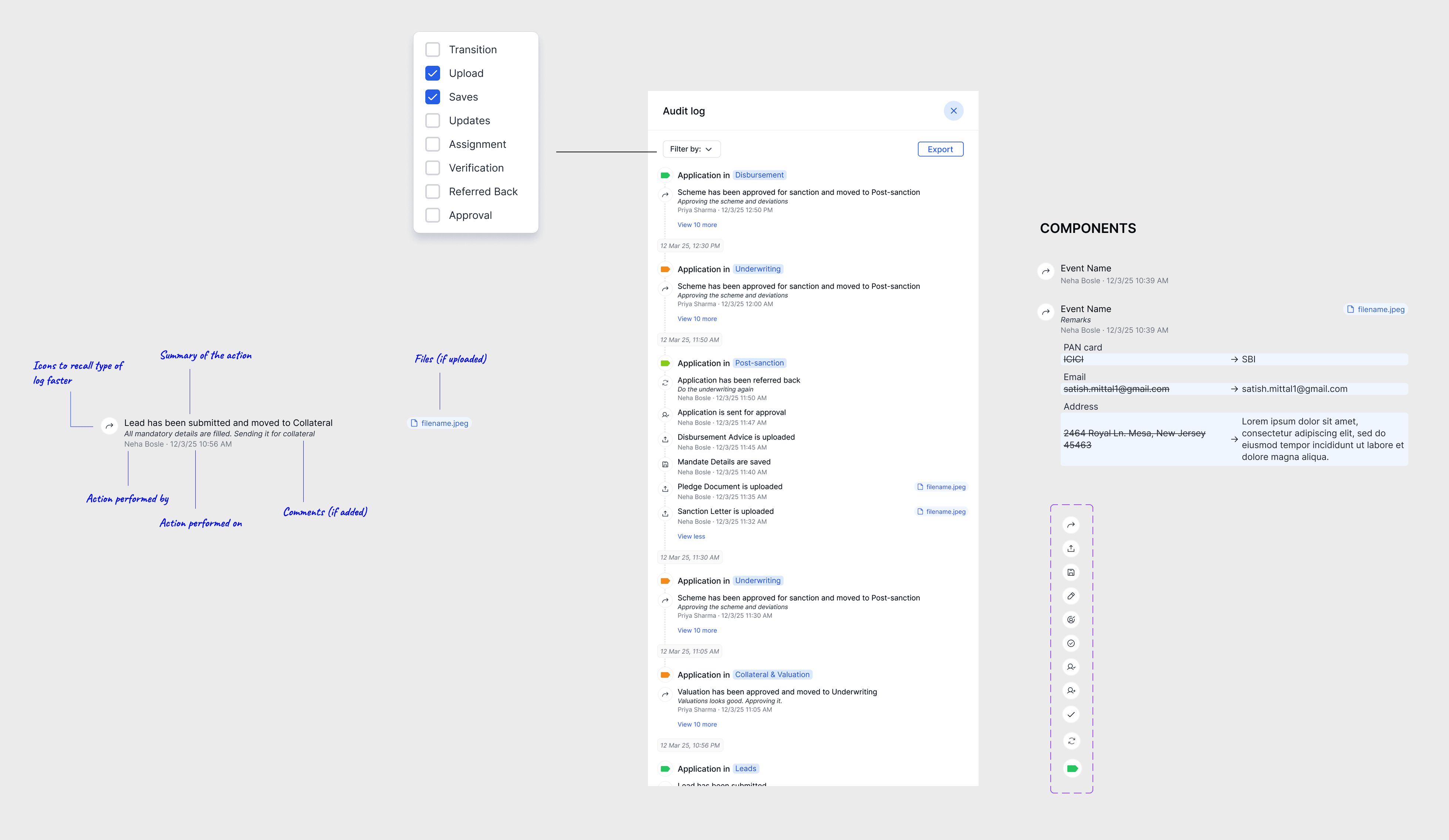
We wanted to help internal users track every action of users in loan processing, maintaining traceability, the focus was on building a trustworthy, human-readable timeline that doesn’t feel like a wall of text.
Each action is grouped with its timestamp, the person responsible, and relevant icons to make scanning faster.
For example, uploads are shown with an upward arrow and linked to filenames, while edits show old vs. new values with strike-through and arrows to visually communicate what changed— this helps users catch important updates at a glance.
I also added a “Show less” toggle for long updates to show them progressively. The “Filter by” and “Export” options give power users more control, especially when they need to extract logs for audits or reports.