Designing user management for a multi-level banking organisation
Contribution:
End-to-End
Team:
Me, 1 PM
Duration:
1 months
Our platform is used by banks with hundreds of employees, spread across branches, clusters, regions, and head office. Each person needs different access, but managing this manually was slow, inefficient, and inconsistent.
Problem:
Before this module:
Access control was hard-coded
Adding or removing users took too long
Permission changes were error-prone
Limited granularity
Admins needed - Speed (quick onboarding/offboarding), Control (fine-grained permissions), Clarity (no confusion about access)
Goal:
Create a simple system that lets admins
Control who can access the platform
Control what they can do inside it - without engineering support.
Outcome:
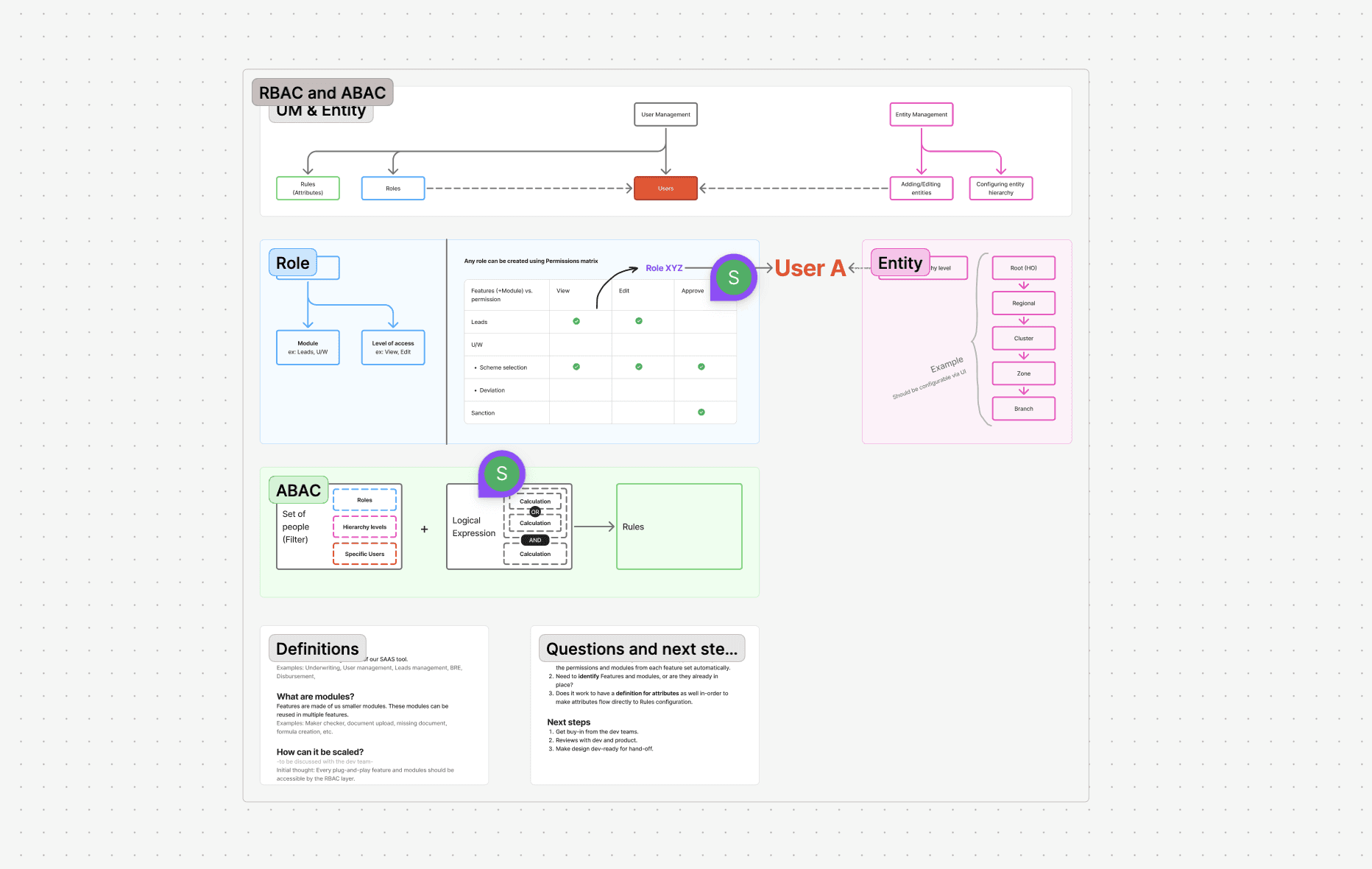
I broke the problem into two clear, independent modules:
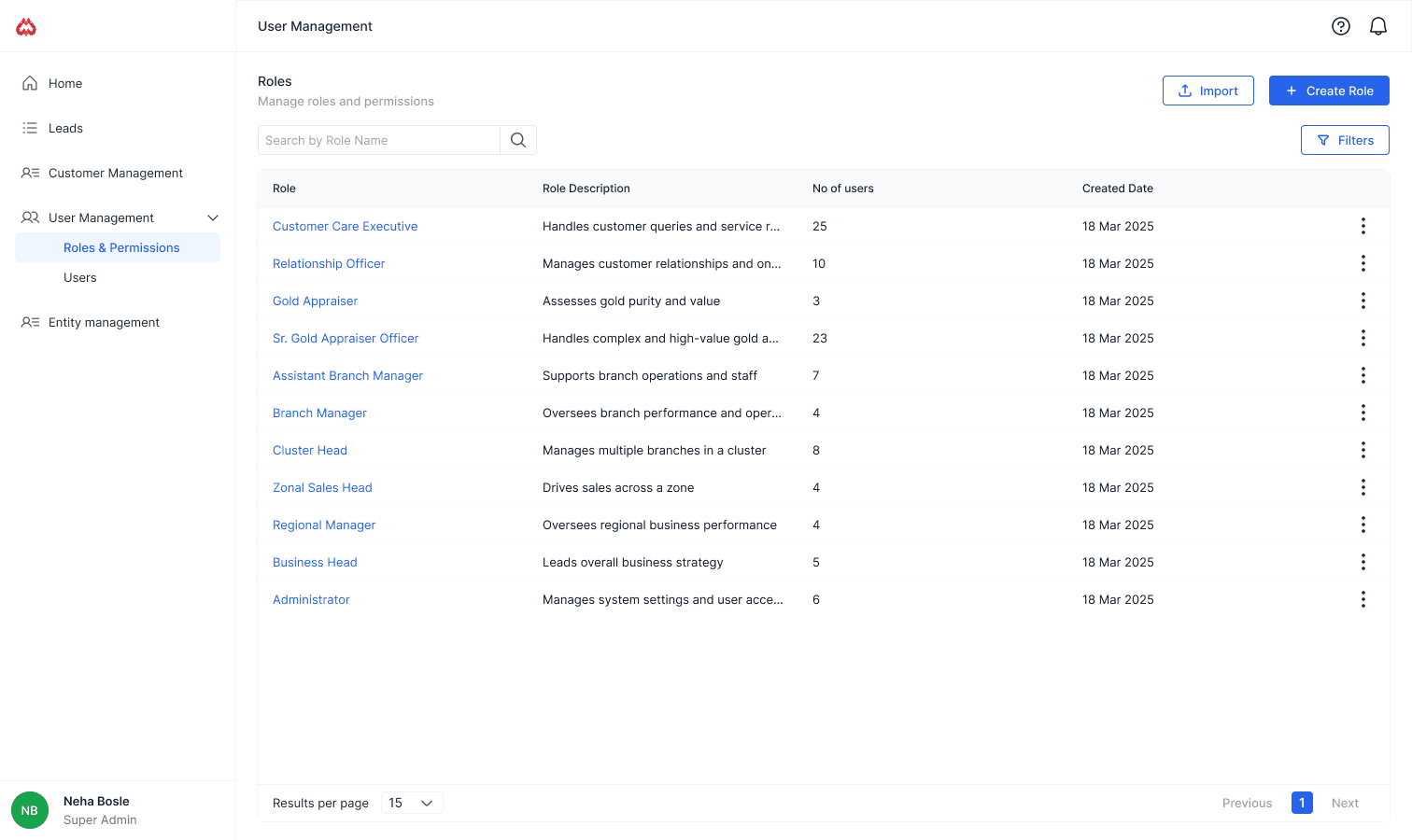
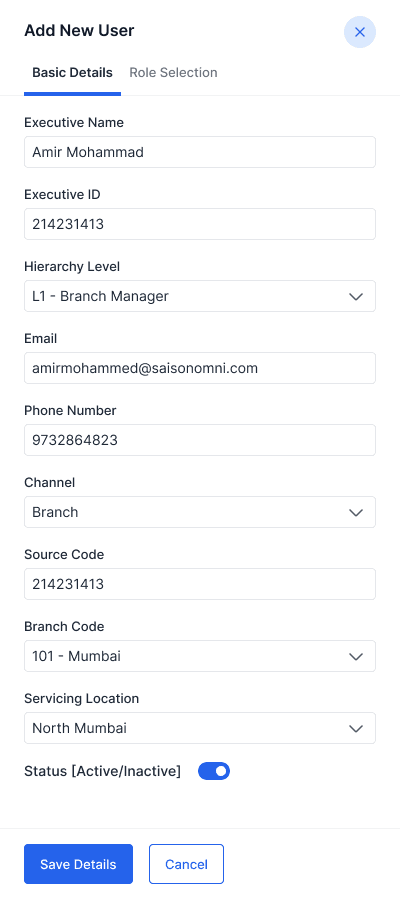
Users → Who can access the platform
Roles → What they can do inside the platform
This separation made the system scalable, safer, and easier to understand.
Showing big picture to get alignment from teams:
Before designing, I sat with PMs to create user flows to map all user decisions and edge cases for each module before designing screens. It ensures the UI supports the real journey instead of forcing logic into visuals. Also helped us get alignment from engineering team.
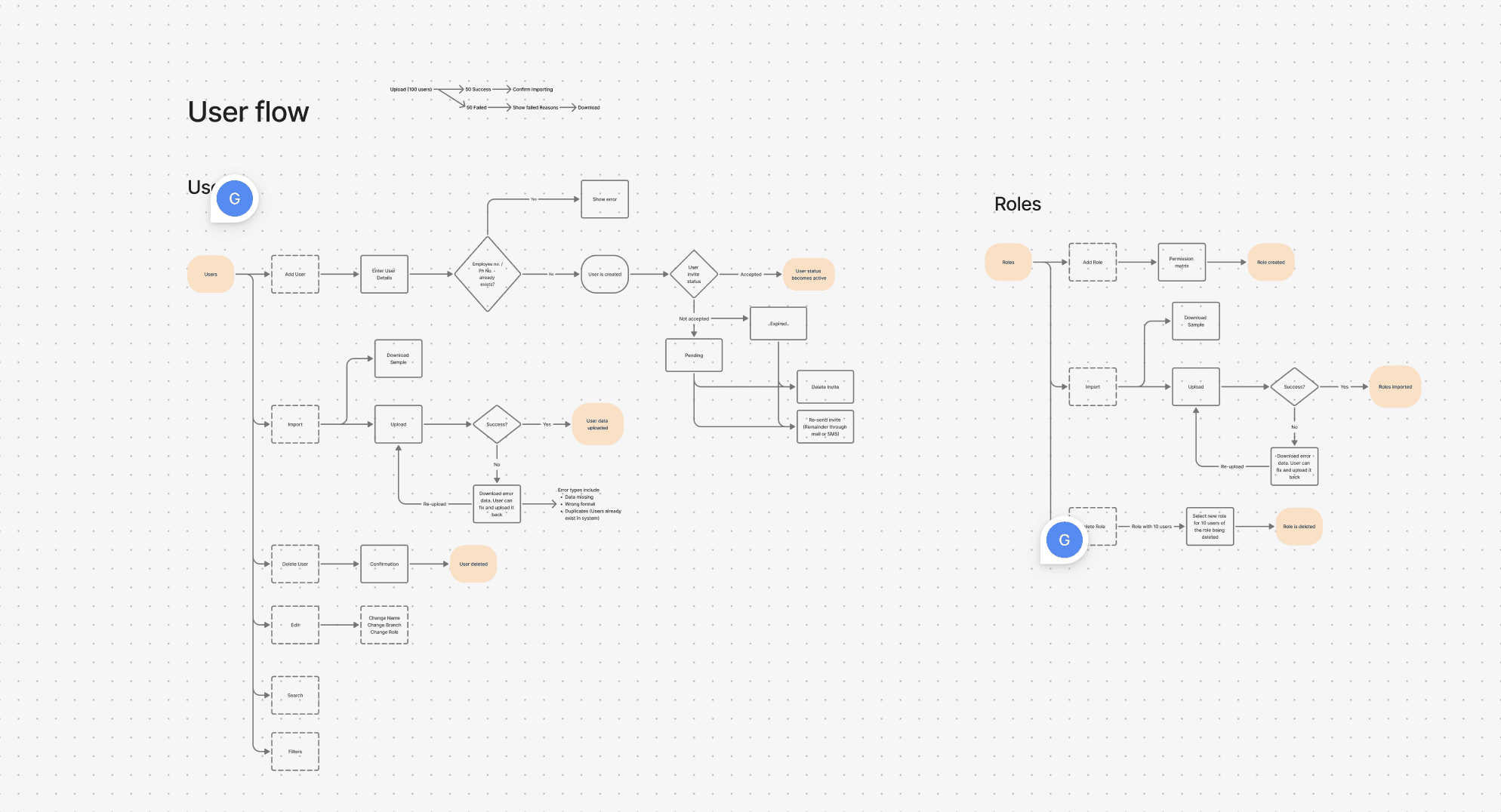
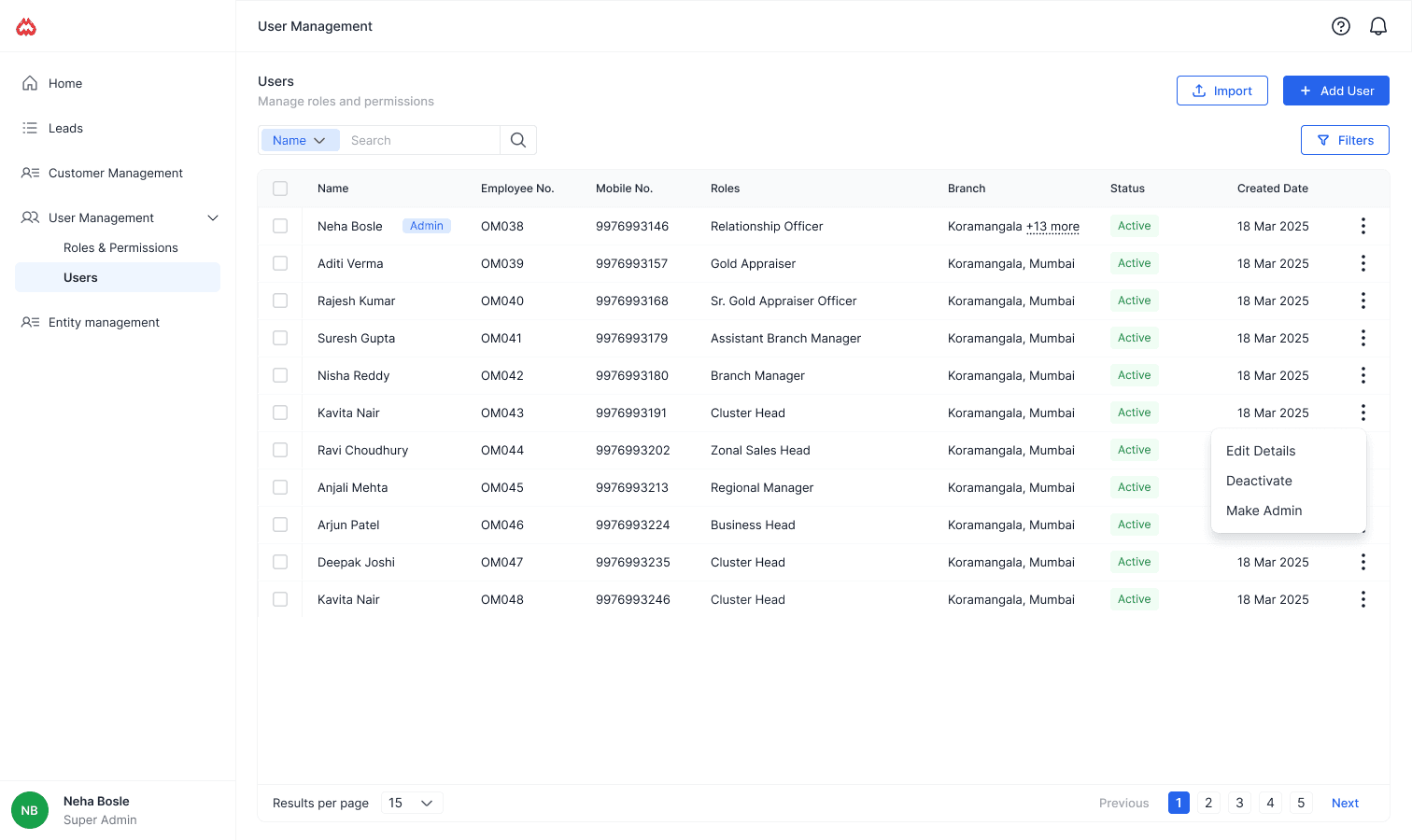
Module 1: Managing access to the platform
This module answers one simple question: 👉 “Should this person be able to log in?”
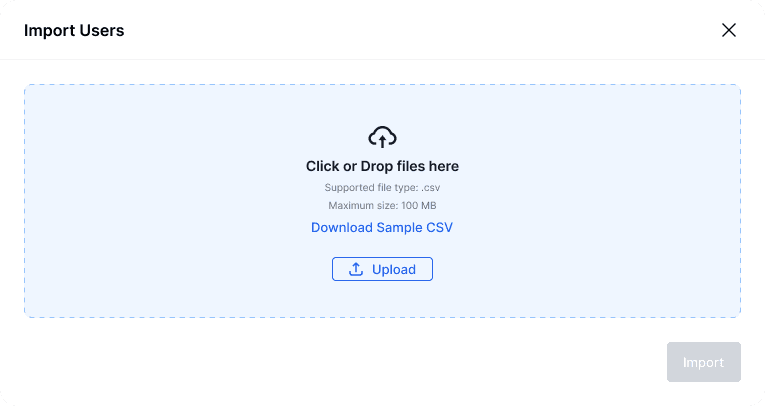
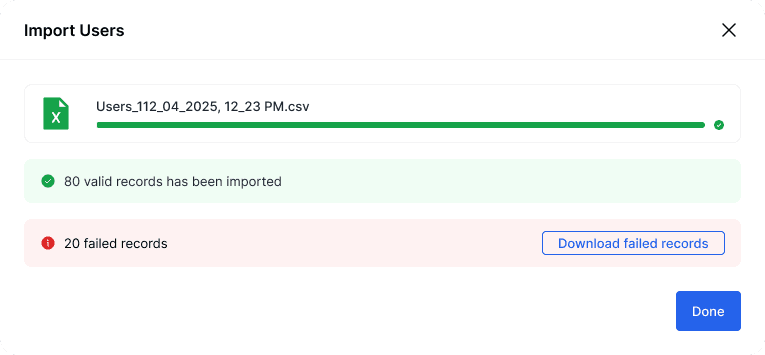
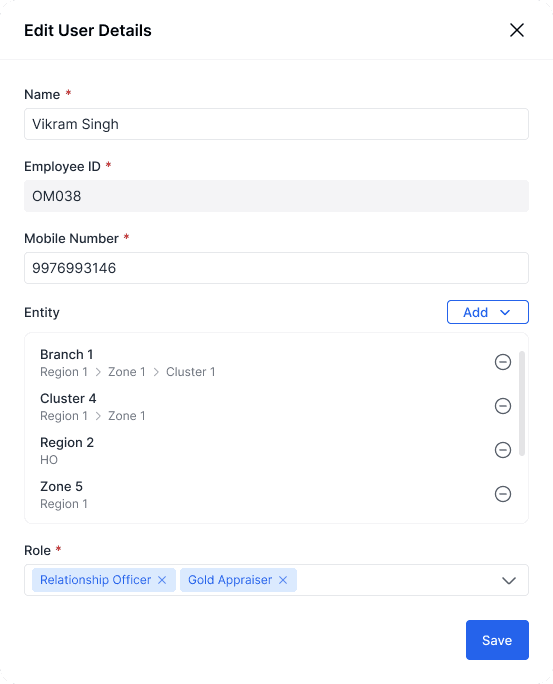
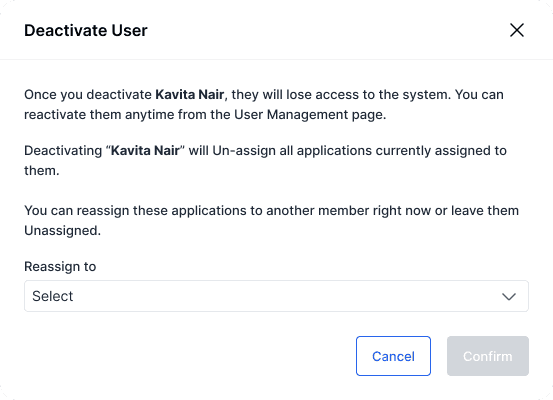
Admins can:
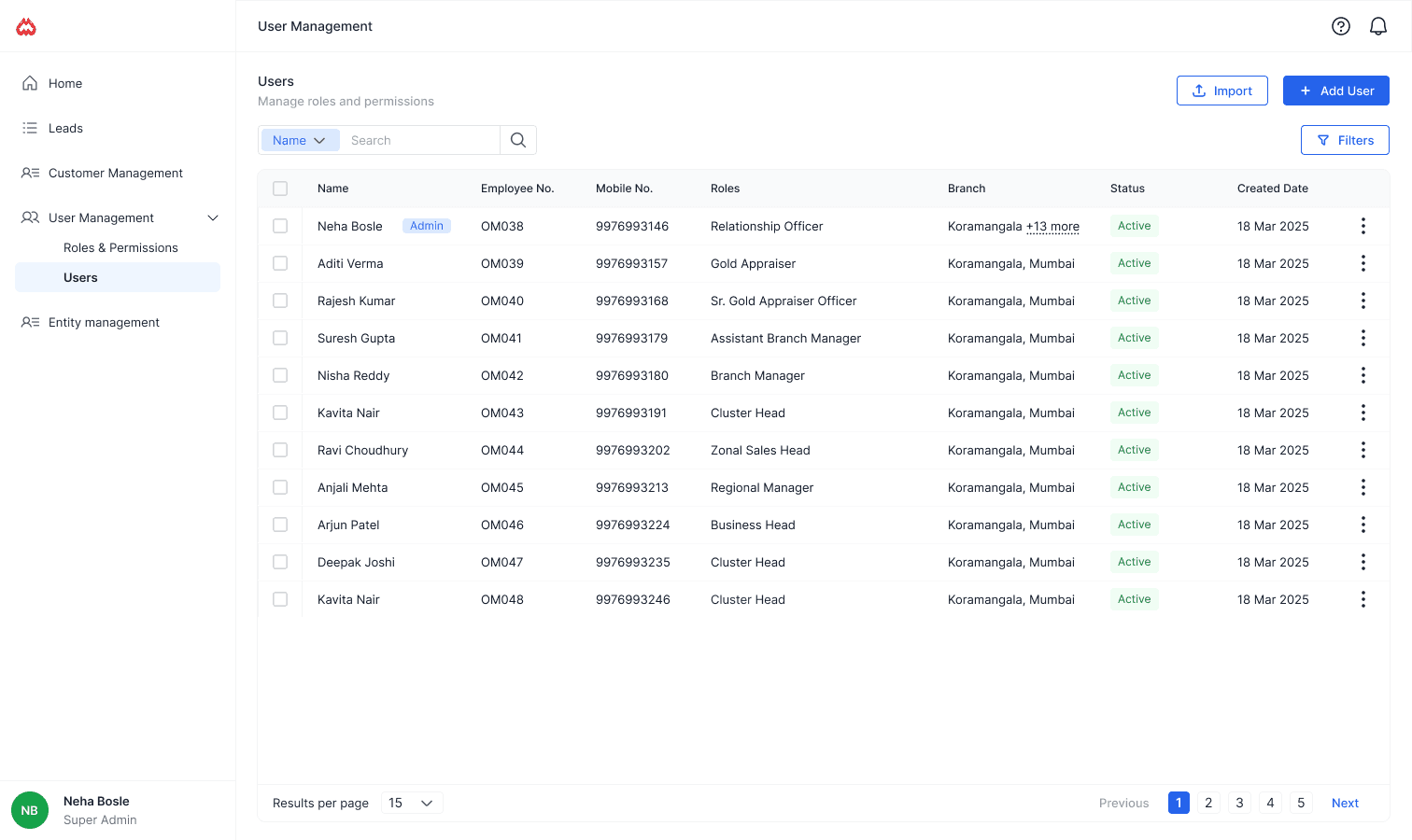
Add or remove users
Bulk import users (for large teams)
Activate / deactivate access instantly
Search and filter users easily
See role, entity, and status at a glance
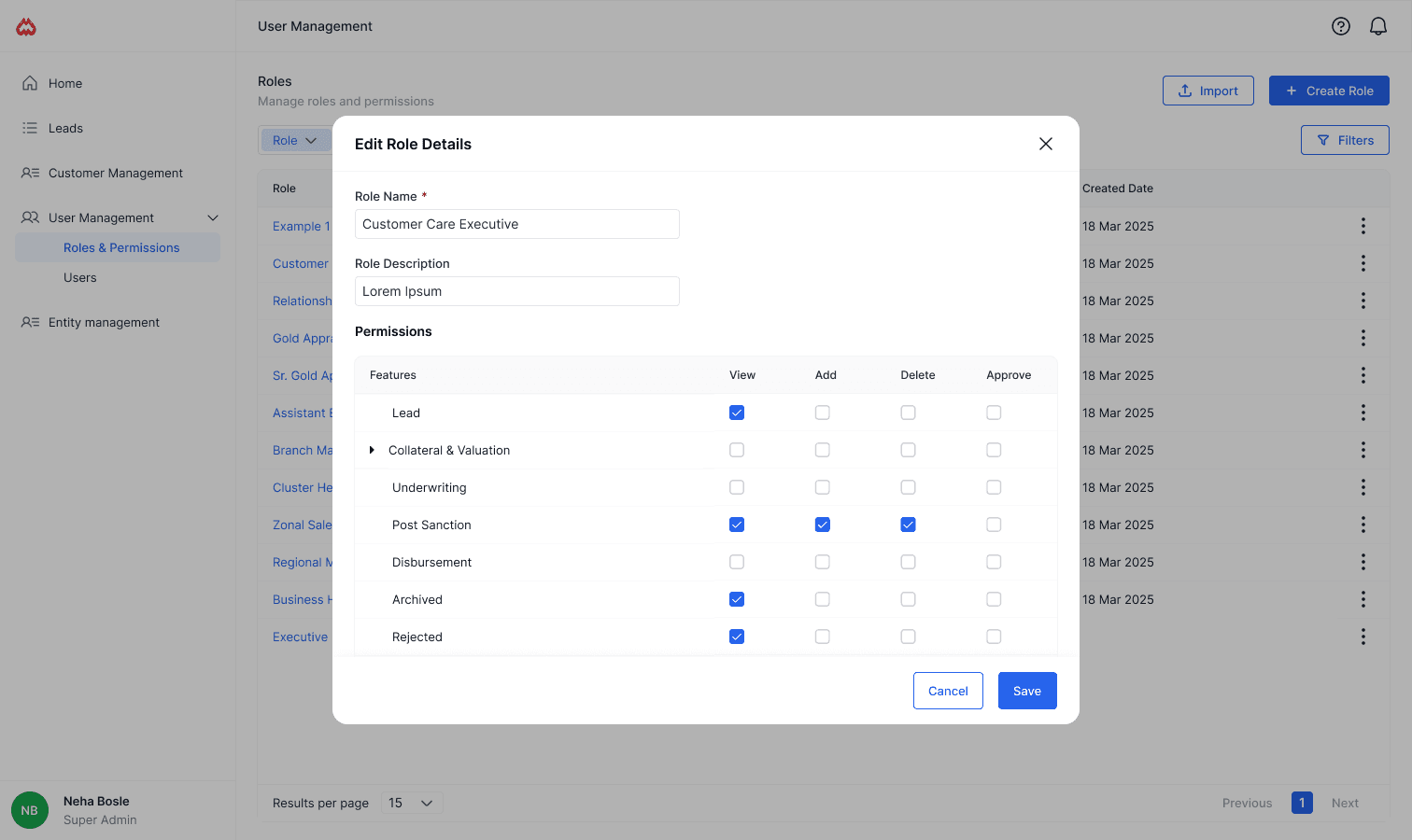
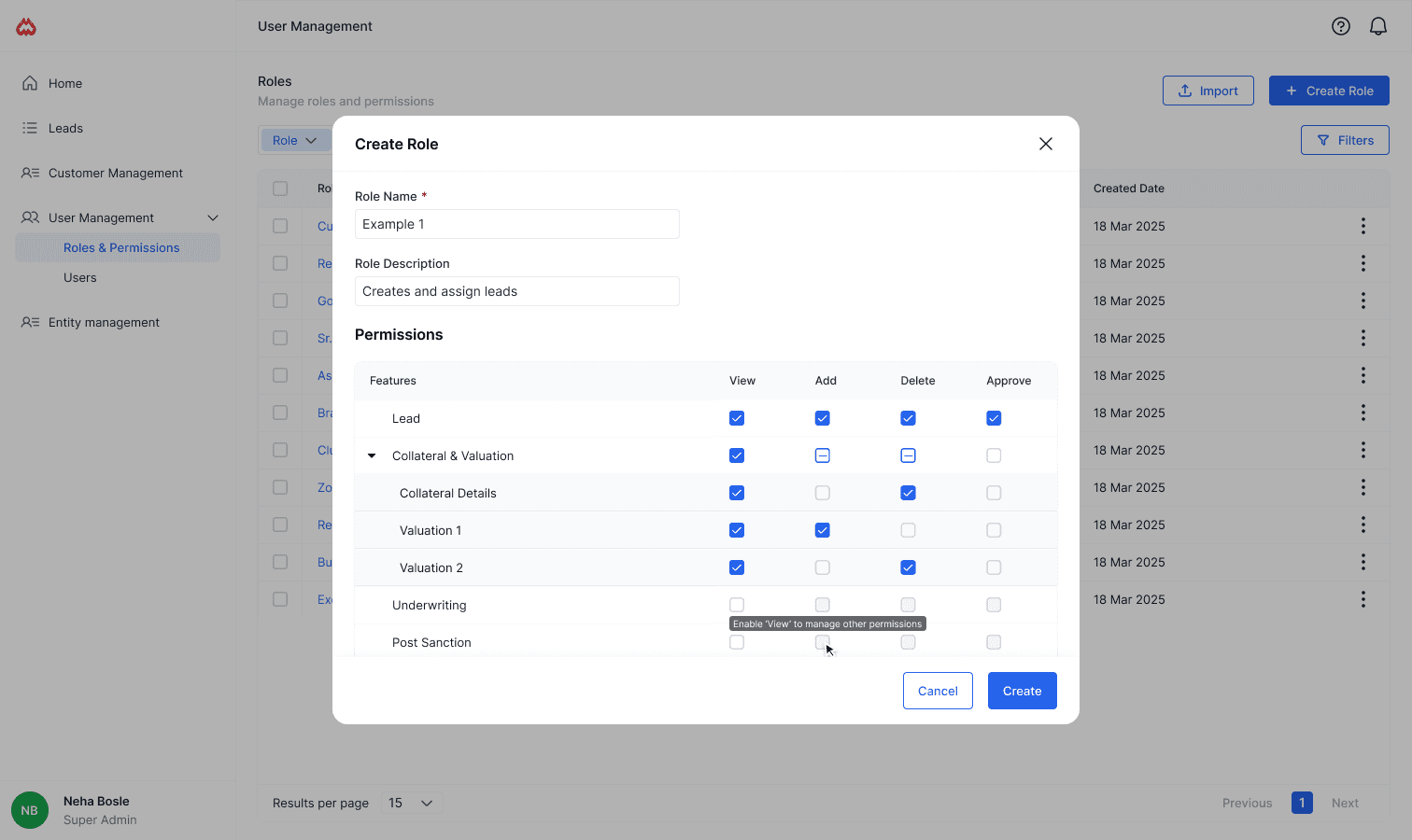
Module 2: Roles & Permissions
This module answers: 👉 “What is this person allowed to do?”
Banks already follow strict role hierarchies (e.g. Relationship Officer, Branch Manager, Cluster Head). So instead of forcing a generic system, I designed roles to match real banking structures.
Admins can:
Create roles based on bank org structure
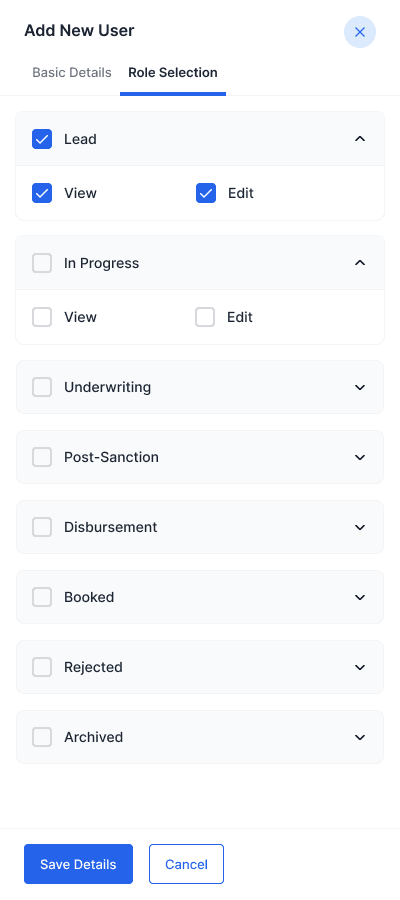
Control access using a permissions matrix
Decide how granular permissions should be
Reuse roles across multiple users
Key design decision: Permissions are managed once at role level, not per user — reducing errors and duplication.
Impact
Reduced average user onboarding time from ~15–20 minutes to under 5 minutes by enabling bulk import and role-based access
Cut down frequent access-related engineering requests by ~50% after introducing admin-managed roles and permissions.
What I’d Improve Next
Permission presets for common bank roles - Create ready-made role templates for common bank roles so admins don’t need to start from scratch every time.
Audit logs for access changes - Add visibility into who changed access or permissions and when, to build trust and help during reviews or investigations.
Role impact preview - Show how many users will be affected before updating a role, helping admins make safer decisions.
What I Learned
This project taught me how quickly things break when access control isn’t clearly defined. Small permission mistakes can create big operational and security issues, especially in large organisations. I learned the importance of separating concerns early — deciding who can access the system versus what they can do inside it. I also understood how closely design decisions are tied to real-world workflows, especially in domains like banking where hierarchy and control matter a lot.